Proverb99's site | Using Android like a standard UNIX-system... kinda.
Using Android like a standard UNIX-system... kinda.
PS: This assumes some level of knowledge using the Linux/UNIX CLI (Command-Line Interface). If you do not have this knowledge, I suggest learning first and then coming back. It also assumes knowledge of using ADB
Alright! To start, you'll need: an android device (duh) which can either be unlocked or locked, this tutorial requires no rooting. Additionally, you'll need some type of cable capable of transferring data to and from your android device and computer.
Now, enter the adb shell, and open another terminal window or tab.
Run the command "git push busybox-ndk/busybox-arm /data/local/tmp/busybox.
Now, go back to your terminal window with the adb shell open, and go to that directory (/data/local/tmp).
Run the command "chmod +x busybox", and now you can run more unix commands (like the vi text editor, wget, and others) by running "./busybox [program]".
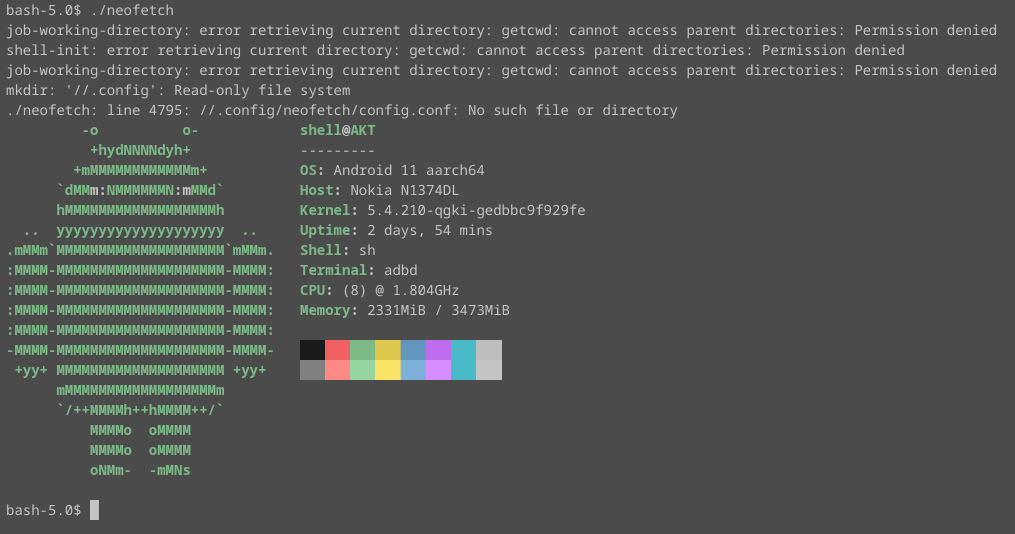
These steps can even be repeated to get other arm-compatible executables onto your android device. Pictured below is the command line information utility neofetch running on android through an arm build of bash.